

How To Reset Windows 7 Administrator Password From Standard User
In this post we will run into how to reset Windows 7 administrator password. Every bit an example I have got a computer installed with Windows 7 professional with SP1 operating organization.
This machine is a not a part of any domain and is a office of workgroup. In that location are lot of tools that are bachelor online that will help you to recover or reset the Windows 7 password.
In this mail I will prove a simple technique to reset administrator password of Windows vii without using any tools. We know that Windows comes with a built-in utility called Utilman.
Utilman, an executable file that allow users to configure the accessibility options like Magnifier, High contrast theme, Narrator and On Screen Keyboard before they log onto the arrangement.
Utilman file resides in the System32 binder which is located inside windows folder. If you bandy the Utilman file with command prompt, you have access to the command prompt running SYSTEM privileges.
I will exist summarizing the steps that we will exist performing in this postal service.
- Kicking the OS into recovery way.
- Choose the startup repair selection.
- Make a fill-in of Utilman and save information technology with a new proper noun. Delete the Utilman file.
- Make a copy of control prompt and rename it as Utilman.
- In the next boot, click the Ease of Admission icon, the command prompt is launched.
- Use the net user command to reset the administrator password.
How to reset Windows vii Administrator Password
Windows 7 offers some interesting tools designed to help you ready certain organisation problems. To brainstorm with, nosotros demand to get to the screen which shows the repair options.
To practice so, reset the windows 7 computer. Upon kicking, it shows Launch Startup Repair (recommended) and Beginning Windows Normally options. Choose the first option and striking enter.
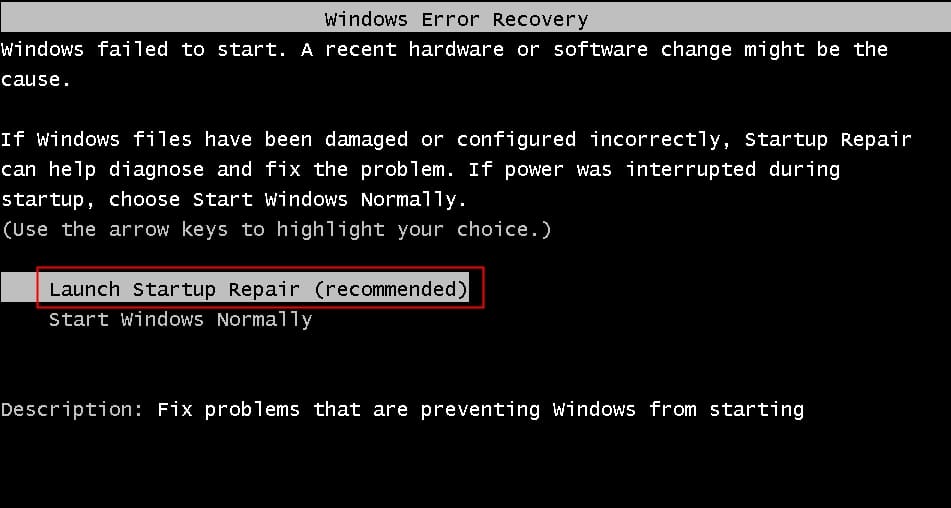
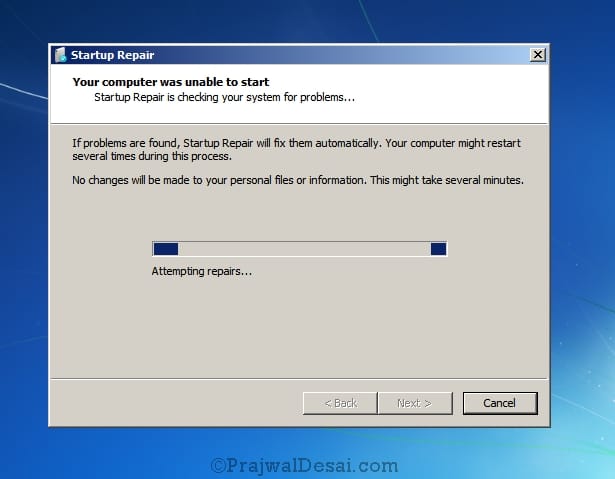
The startup repair tries to fix sure organisation problems that might foreclose Windows 7 from booting successfully.
This utility is designed to gear up only certain problems such as missing or damaged system files used to load the operating arrangement. Wait for few minutes while the start repair tries to fix the bug.
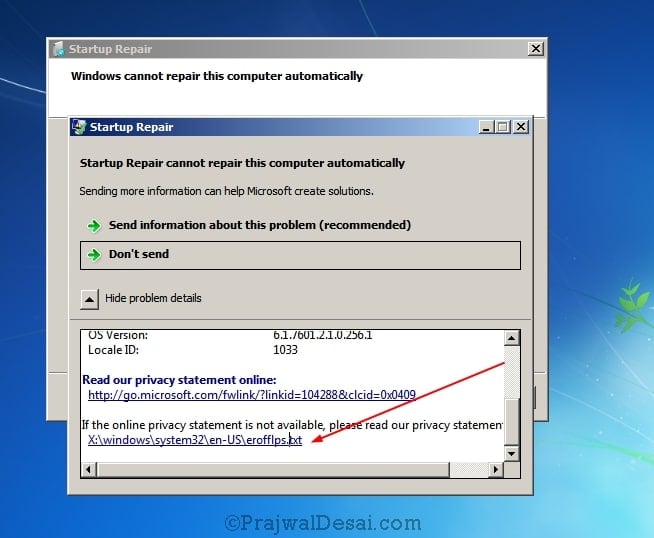
Finally you meet a windows which says Startup Repair cannot repair this computer automatically. Click on View problem details. In the bulletin box click on the final link ending with txt extension.
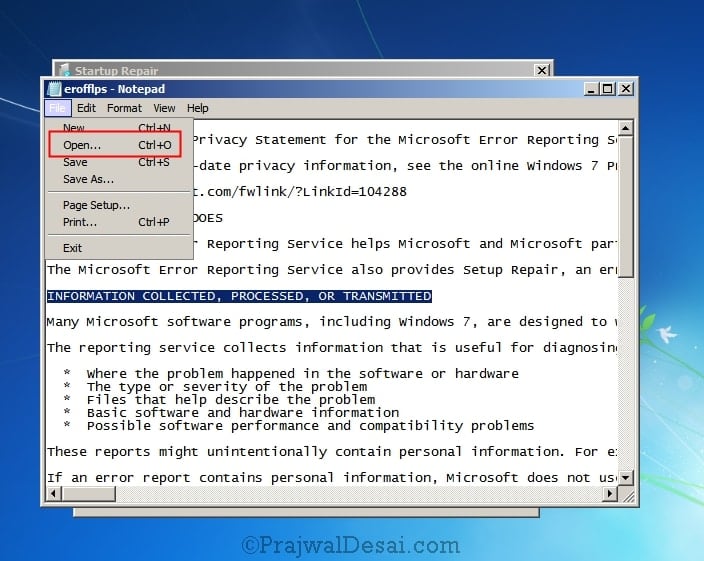
This volition open up a privacy info in a notepad. Click on File and click Open up.
Locate the Utilman file which is found in the System32 folder inside Windows folder. Right click on the file and click Copy.
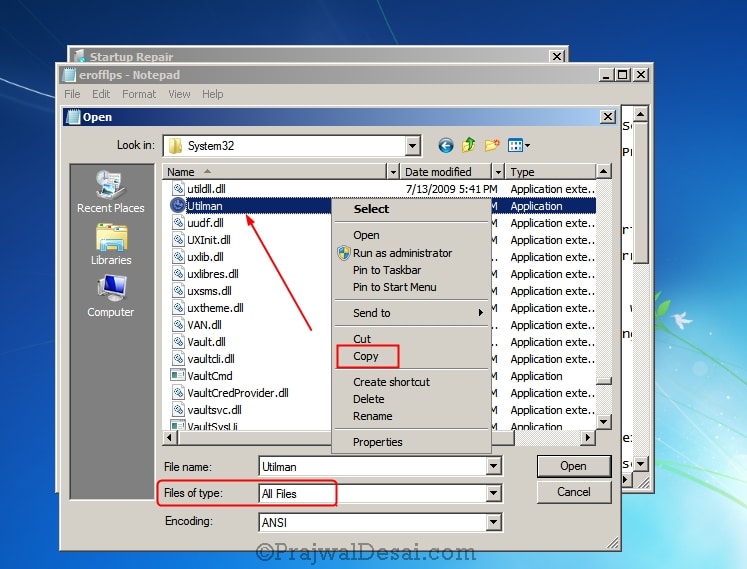
Click on Paste now. Yous will see a new file called Utilman – Copy. You can rename it to your selection. I will keep it as information technology is.
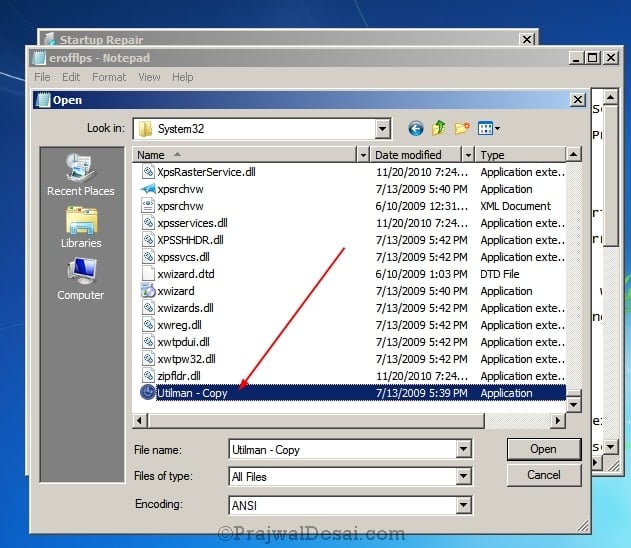
We now take the backup copy of the Utilman file. So go ahead and delete the Utilman file. Next, copy the cmd file.
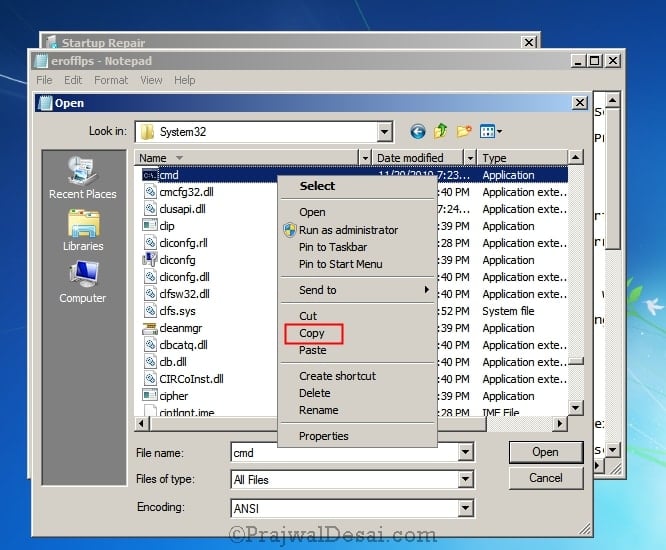
Utilise the paste option and at present y'all will see a new file cmd – Copy. Correct click on the cmd – Copy and click Rename.

Rename the cmd – re-create file to Utilman.
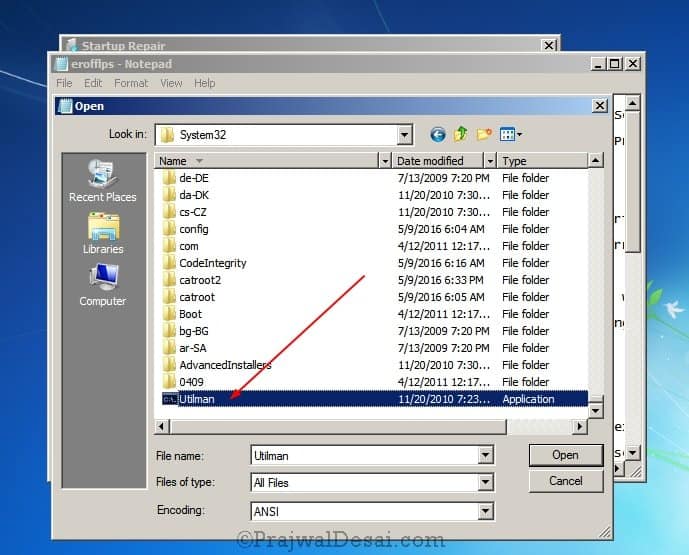
Shut the dialog box, close the file, and close the Startup repair box and Click cease. The arrangement will shutdown. Next, boot the system and on the logon screen, click on Ease of Access icon. This will now launch the command prompt (if you remember nosotros replaced the utilman file with that of control prompt).
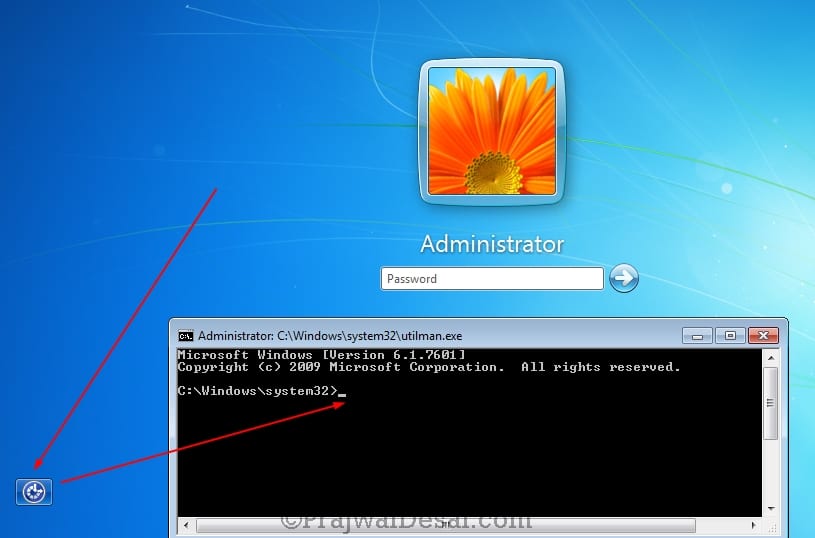
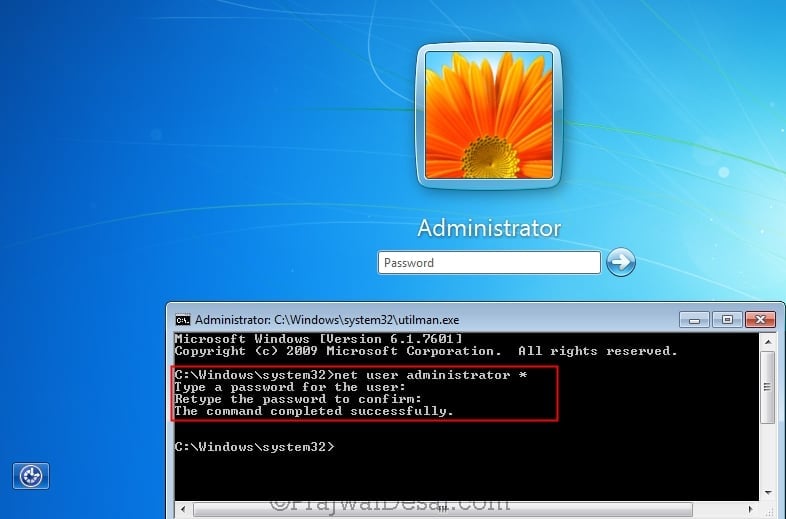
Utilise the net user administrator * control to initiate the password reset for ambassador account. Type the countersign twice and you will see the password has been changed successfully. Close the command prompt and enter the new password and login to the computer.
Final steps – Delete the Utilman file and rename Utilman – Copy file to Utilman. With this y'all have restored back the original file. That's all folks !!!
Source: https://www.prajwaldesai.com/how-to-reset-windows-7-administrator-password/
Posted by: yatestraid1937.blogspot.com
0 Response to "How To Reset Windows 7 Administrator Password From Standard User"
Post a Comment